Why Adding More Antennas Will Not Make Your Wi-Fi Router Faster
Adding more antennas to your Wi-Fi router won’t always boost speed or range. Learn why internal hardware limitations often make extra antennas ineffective.

The Limitations of Boosting Home Wi-Fi with Extra Antennas
Many users assume that adding more antennas to a wireless router will automatically result in faster data speeds or expanded coverage. However, the reality of networking hardware is far more rigid. A router’s ability to transmit data is determined by its internal radio architecture, not the number of external antennas screwed into the chassis.
Each antenna on a device must be paired with an internal radio transmitter to function. As reported by SlashGear, if a router’s internal hardware is maxed out, attaching extra antennas provides no additional data paths. For instance, the BCM6726 chip from Broadcom is engineered for a 4x4 configuration, meaning it supports four transmitters and four receivers. If all four connections are already assigned, a fifth antenna will simply sit idle, lacking the necessary radio connection to handle any traffic.

Some devices feature more antennas than radios to facilitate antenna diversity, a technique that allows the router to select the cleanest possible signal path as waves bounce off walls and furniture. While this helps with stability, it does not increase the maximum data capacity of the connection. Furthermore, the bottleneck is often the client device itself; a phone or laptop can only process as many data streams as its own internal hardware allows, regardless of the router’s capabilities.
High-Gain Antenna Swaps: A Trade-off in Coverage
While adding extra antennas is rarely effective, replacing existing ones with high-gain models is a common modification. This process does not create new capacity but rather reshapes how the signal is broadcast. Standard antennas typically emit a signal in a doughnut-shaped pattern, whereas high-gain antennas flatten this beam to focus energy over a narrower, horizontal range.
This concentrated signal can boost performance for devices located on the same floor as the router, but it often comes at the expense of those positioned on different levels. Testing conducted by SmallNetBuilder on a Linksys WRT1900AC router highlighted this exact phenomenon.
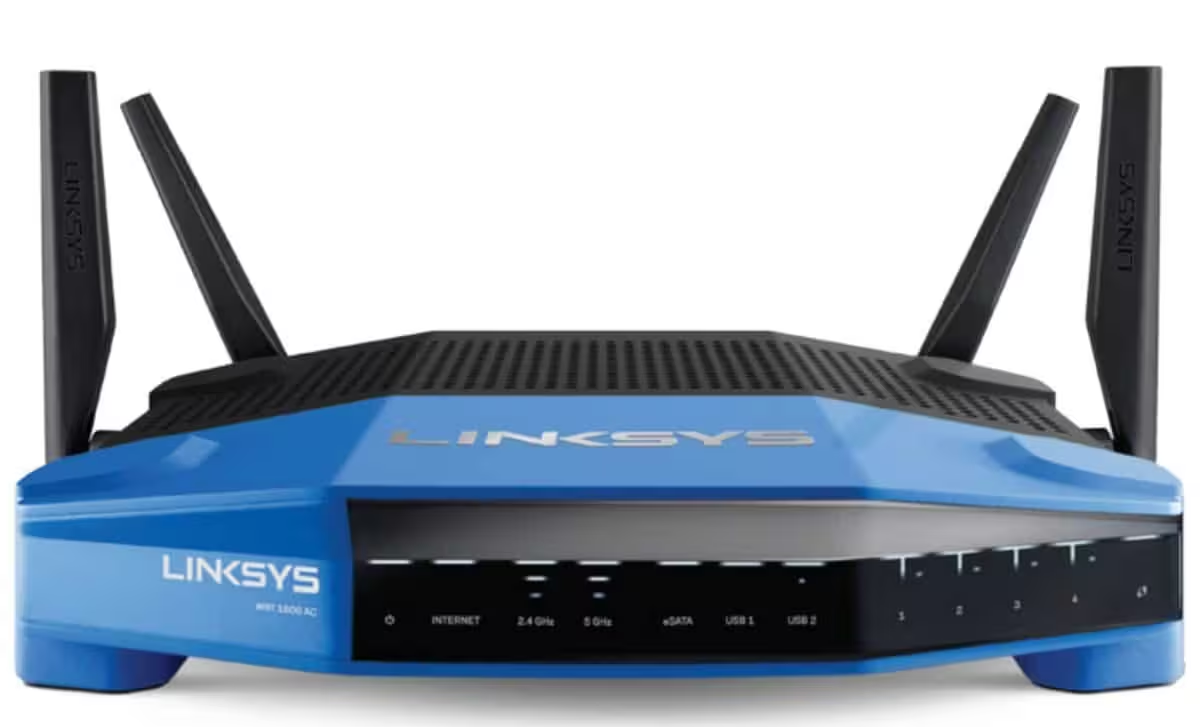
During the study, replacing the factory antennas with high-gain versions successfully improved speeds in a weak-signal room on the same level, with download speeds climbing from 7.7 Mbps to 28 Mbps. However, the results were inverted for devices in an upstairs location 35 feet away. Because the signal was being directed horizontally, the vertical coverage suffered, and the upgraded antennas performed worse than the original hardware. Ultimately, the cost of these upgrades—often around $100—is frequently better spent on more effective solutions, such as dedicated wireless range extenders or mesh networking systems.
This article has been fact checked for accuracy, with information verified against reputable sources. Learn more about us and our editorial process.
Last reviewed on .
Article history
- Latest version
Reference(s)
- Ahmed, Zohaib. “Can You Add More Antennas To Your Wi-Fi Router?.”, November 4, 2026 SlashGear <https://www.slashgear.com/2302762/can-you-add-more-antennas-to-wifi-router/>.
- Higgins, Tim. “Linksys High Gain Antennas Reviewed - SmallNetBuilder.”, July 9, 2015 admin <https://www.smallnetbuilder.com/wireless/wireless-reviews/linksys-high-gain-antennas-reviewed/>.
Cite this page:
- Posted by Zara Tariq